Streaming AI Responses in Telegram Bots Feels Like a Must
Streaming makes a bot feel alive. Users see progress, not silence. And today, it is moving from nice-to-have to must-have. If you use Kano prioritisation, streaming is trending into baseline expectations.
- ➤ Faster perceived response time
- ➤ Less user anxiety during long answers
- ➤ Better engagement in chat-based UX
- ➤ Stronger trust when progress is visible
Why Teams Stream by Editing One Telegram Message
Most AI APIs stream tokens. Telegram does not support token streaming natively. So teams fake it by editing the same message repeatedly. It looks clean and keeps the chat tidy.
- Receive partial AI output
- Edit the same message
- Append new text
- Repeat until done
The Real Problem: Telegram Edit Rate Limits
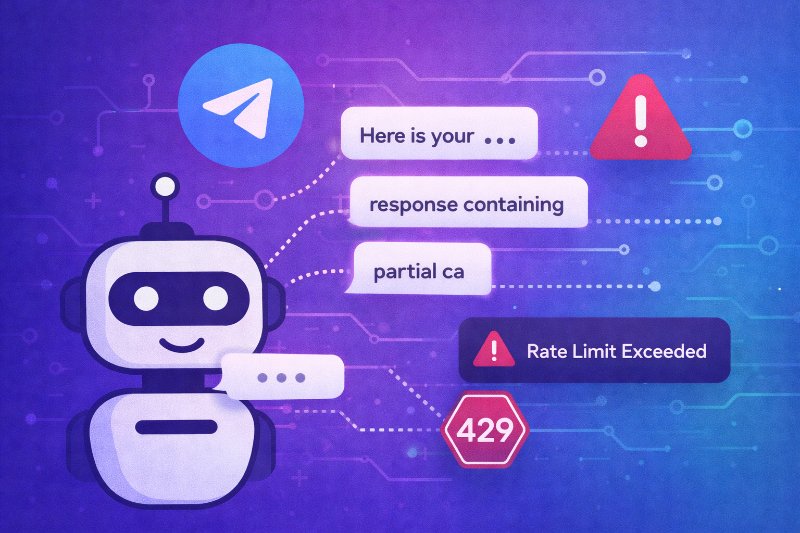
The issue is not generic rate limits. It is specifically message edit limits when you update the same message too often. Token streams arrive faster than Telegram allows edits. Under load, you hit 429 errors and the stream collapses.
- ▸ Message stops updating mid-answer
- ▸ 429 errors spike in logs
- ▸ Retries create bursts and more failures
- ▸ Users see partial output and confusion
- ▸ Group chats amplify the edit pressure
Why AI Streaming Makes Edit Limits Worse
Streaming APIs emit many small chunks. Telegram expects fewer edits per message. Editing on every token is like hammering the API. Even when it works in dev, it breaks in production traffic.
- - Edits arrive too frequently
- - Backoff delays feel random to users
- - Out-of-order updates can happen under retries
- - The bot feels unstable even with good AI output
Default Option: Do Not Stream, Send One Final Reply
The simplest approach is not streaming. Generate the full response, then send it once. It is stable and predictable. But product expectations are shifting, so many teams still want streaming.
- Strong reliability with fewer moving parts
- Lower operational risk under peak load
- Cleaner logging and simpler debugging
- Less user delight for long responses
Better Streaming Pattern: Chunk Messages, Then Clean Up
If editing one message hits edit limits, stop editing. Send each chunk as a separate message at a controlled pace. When the AI is done, delete the chunk messages. Then post one clean final message, or edit a placeholder with the full result.
- 1️⃣ Send a placeholder message like Working on it
- 1️⃣ Post chunk updates as new messages, not edits
- 1️⃣ Throttle chunk frequency to keep chat readable
- 1️⃣ On completion, delete chunk messages in a batch
- 1️⃣ Edit the placeholder or send one final consolidated answer
- 1️⃣ If deletion fails, keep the final message and stop posting chunks
Why This Pattern Works Better Than Edit Streaming
You reduce pressure on message edit limits. You keep the user experience feeling live. You still end with a clean, single response in the chat. And you avoid retry storms caused by aggressive edit loops.
- ➤ Fewer edit-limit collisions
- ➤ Cleaner final transcript for users
- ➤ More predictable performance under load
- ➤ Easier fallback if something goes wrong
Practical Safeguards to Make It Production-Safe
Streaming is a system feature, not just UI sugar. Add guardrails so the bot stays calm under pressure. Throttle, cap output, and always have a fallback. Treat 429 rates as a core health metric.
- Throttle chunk sends by time window and max messages
- Cap output length and stop streaming past a threshold
- Use exponential backoff on Telegram errors
- Fallback to one final message when streaming degrades
- Disable streaming in large groups or high-traffic chats
- Log chunk counts and deletion failures for observability
Final Thought: Streaming Is Worth It, But Not via Constant Edits
Users now expect progress for long AI answers. That is why streaming is moving into must-have territory. But editing the same message too frequently is fragile. Chunk messages with cleanup gives you the best balance of live feel and stability.
- ➤ Prefer chunk messages over rapid message edits
- ➤ Always end with one clean final answer
- ➤ Build fallbacks before you ship